SUMMARY
People forget names and faces after casual encounters, but existing tools are too formal, too public, or organized alphabetically instead of by context. Through interviews with eight users and three rounds of iterative testing, I designed a lightweight memory app with a single search-and-add flow and automatic saving. The result: 50% faster saves and users who felt confident remembering people without hesitation.
PROBLEM
People Forget Names and Faces, Leading to Awkward Moments and Missed Connections
PROCESS
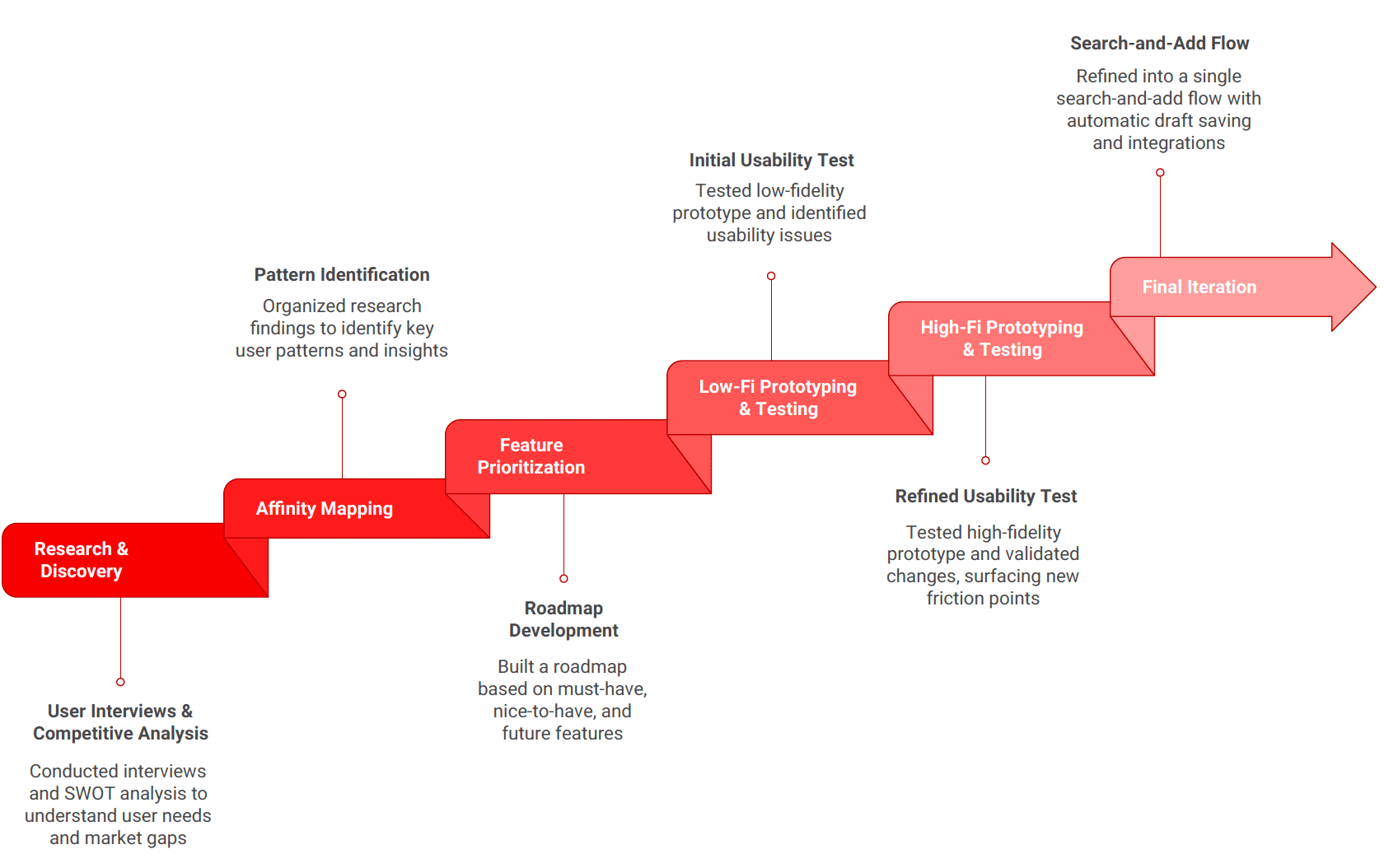
Reasearch-Driven Design With 3 Rounds of Testing & Iteration

Research
People Remember Situations Before Names
I conducted interviews with eight people between ages 20 and 70, including introverts, extroverts, homebodies, and a teacher who encounters hundreds of students and parents each year. Participants walked me through how they remember names, what tricks they use, and how they feel about sharing personal information
"I feel so awkward when I run into former students or parents and they remember me, but I don't remember them."
-Mr. Strime, High School Teacher

Affinity Map of people who have faced situations where they do not remember someone they met
Common Pain Points
Hypothesis
If the app can match how memory works, people will use it confidently to remind them of who they've met
Method
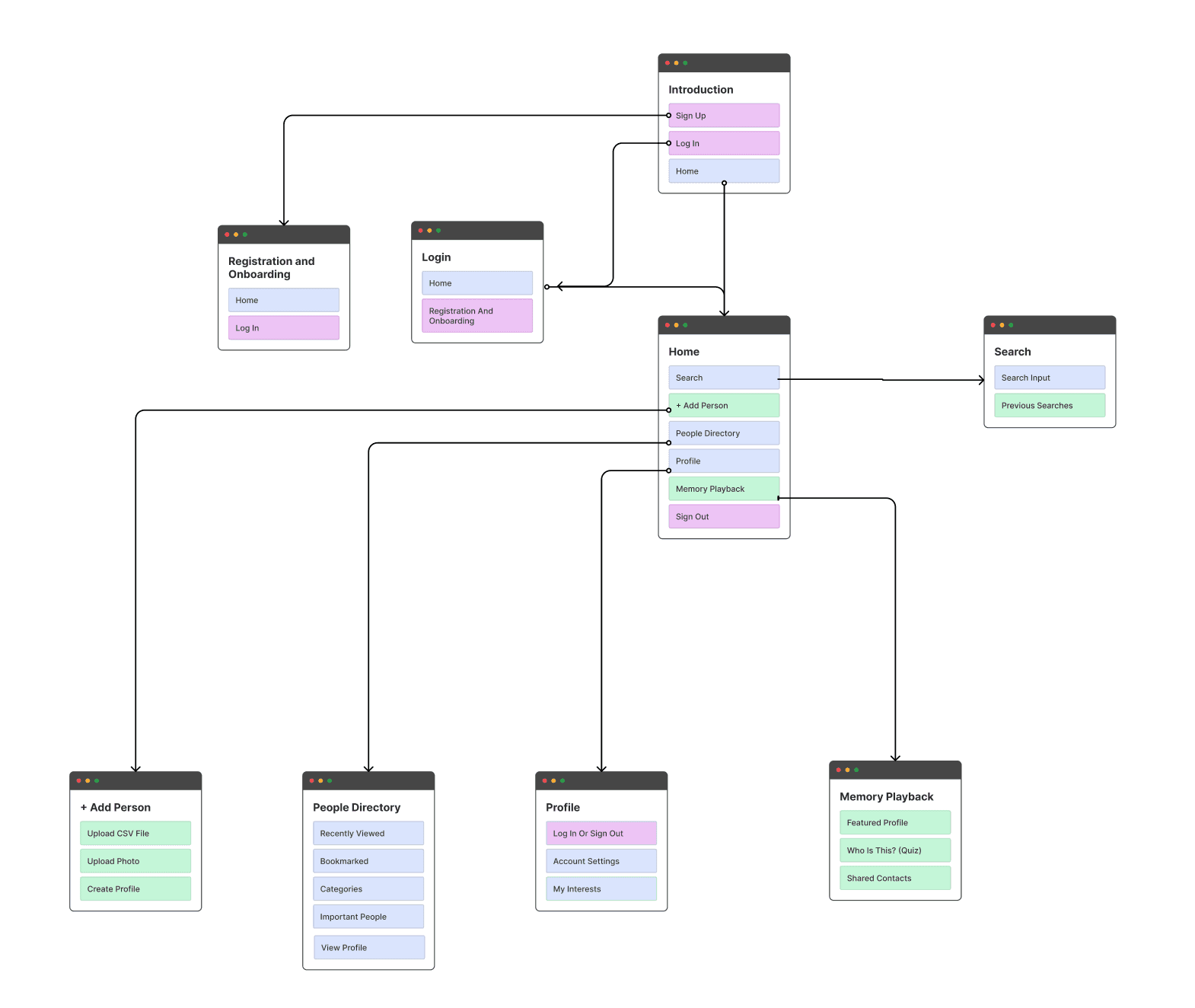
Planning the System Before Building Screens
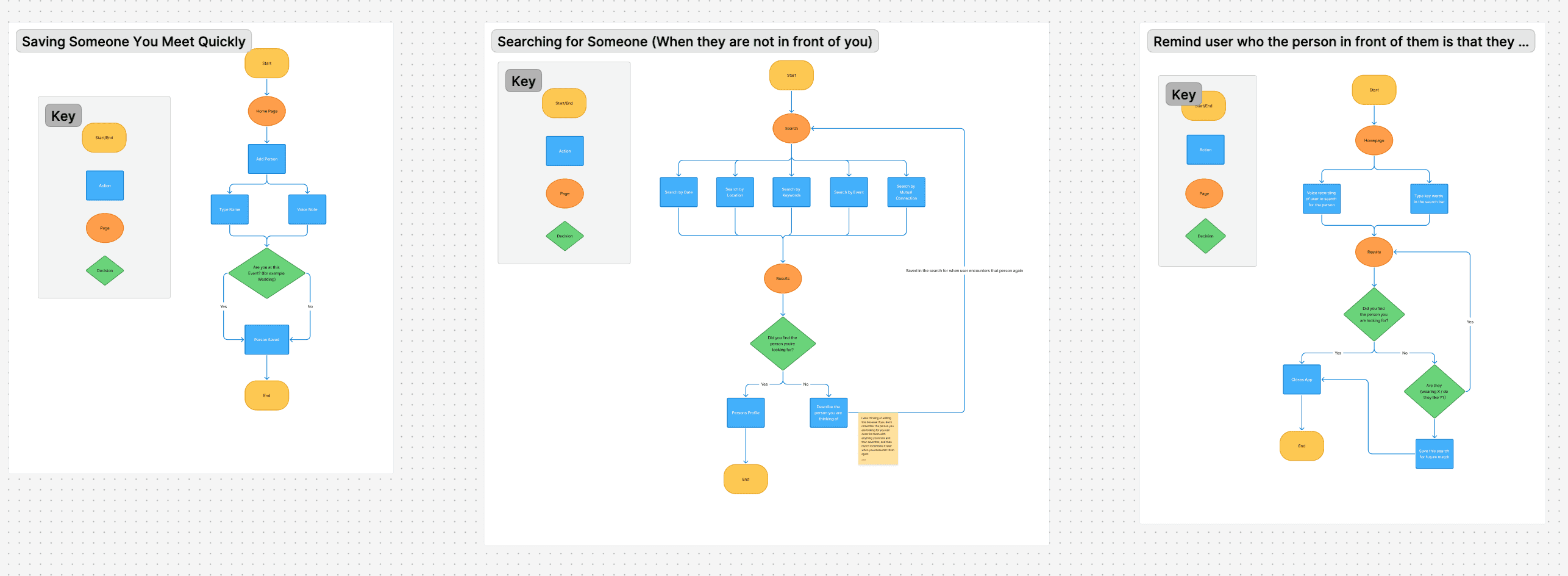
Before designing any screens, I mapped three critical user flows:
1. Saving someone quickly
2. Searching for someone when they're not in front of you
3. Being reminded who someone is in the moment
Along with a complete sitemap of the app structure, these artifacts clarified what features were necessary, how they connected, and where friction would likely occur.
Testing
Three Rounds Revealed Users Wanted One Flow, Not Multiple Entry Points
The first prototype offered multiple ways to add someone — voice, photo, text — assuming users would pick their preferred method. Testing proved otherwise.
Low-fidelity testing uncovered:
No clear save confirmation — users questioned whether anything had been saved
Disjointed input flow — users didn't know where to start
Poor visibility of new entries — recently added people disappeared into the list
I redesigned with:
A FOB (Floating Action Button)
Clear save confirmation with animation
Recently Added section moved to the top of Home
Mid-fidelity testings uncovered:
Confusing labels ("Avatar") that didn't match user mental models
Anxiety around saving — users wanted quick capture without overthinking
High value placed on location cues for complex recall situations
Interest in a Memory Hub for reinforcement and recall exercises
Except, Too Many Choices Created Paralysis
Users were still hesitating and all of them said speed mattered.
I realized the design needed to eliminate choice entirely, not just organize it better.
SOLUTION
A Search-First Interface With Context-Driven Recall
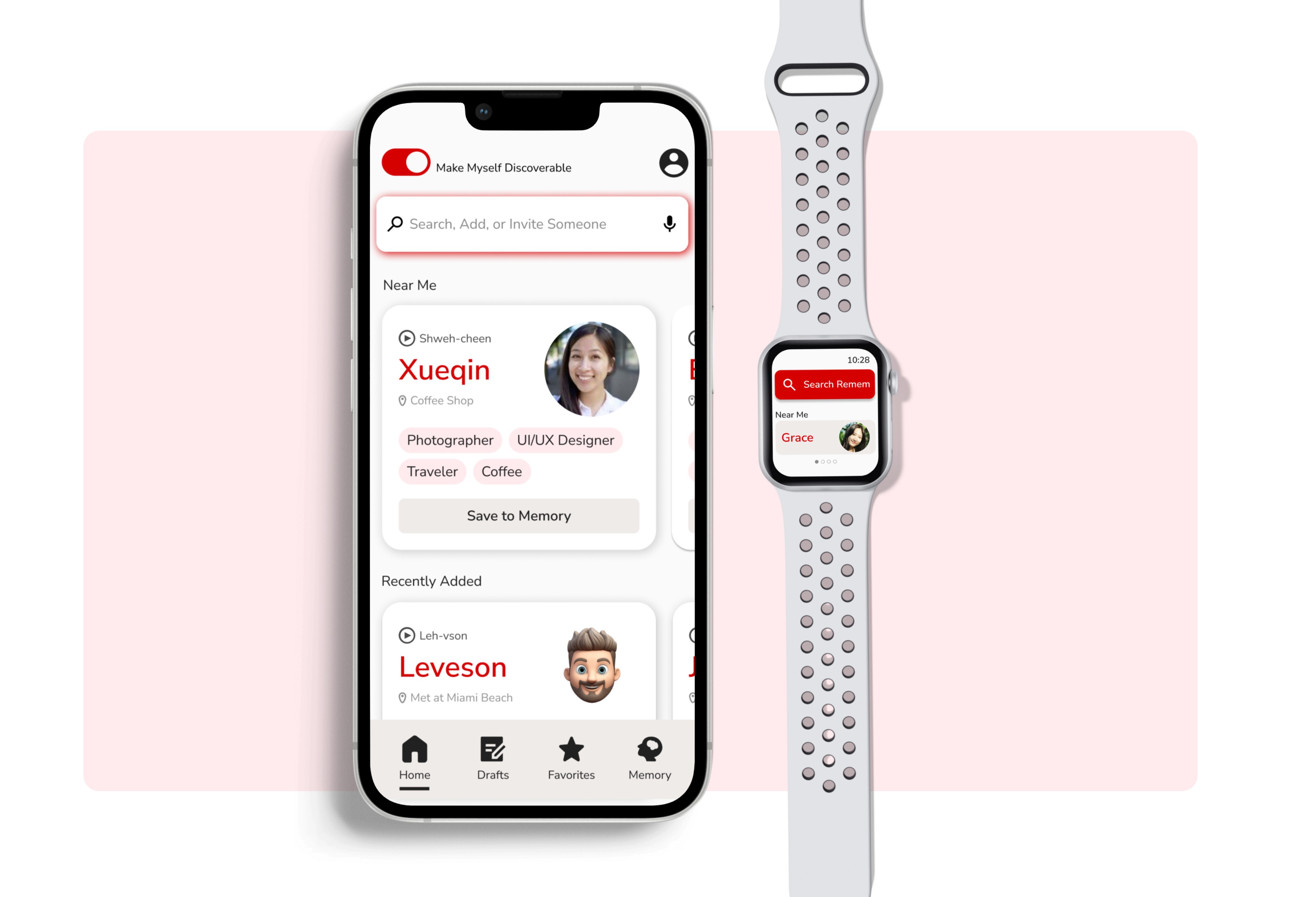
Final iteration breakthrough: I collapsed all entry points into a single search-and-add flow. Anything typed appeared as search results first; if no match existed, users could save it instantly. Drafts saved automatically.

A Search-First Interface With Context-Driven Recall
Final iteration breakthrough: I collapsed all entry points into a single search-and-add flow. Anything typed appeared as search results first; if no match existed, users could save it instantly. Drafts saved automatically.


A Search-First Interface With Context-Driven Recall
Final iteration breakthrough: I collapsed all entry points into a single search-and-add flow. Anything typed appeared as search results first; if no match existed, users could save it instantly. Drafts saved automatically.

Watch Extension For In-The-Moment Recall
One user reported a specific friction point: he regularly took dance lessons where two people shared the same name, making it impossible to quickly gather information from his phone. The Apple Watch version allows users to glance at context cues without pulling out their phone — perfect for social situations where speed and subtlety matter most.
Branding
Every Design Choice Was Made To Reinforce Memory
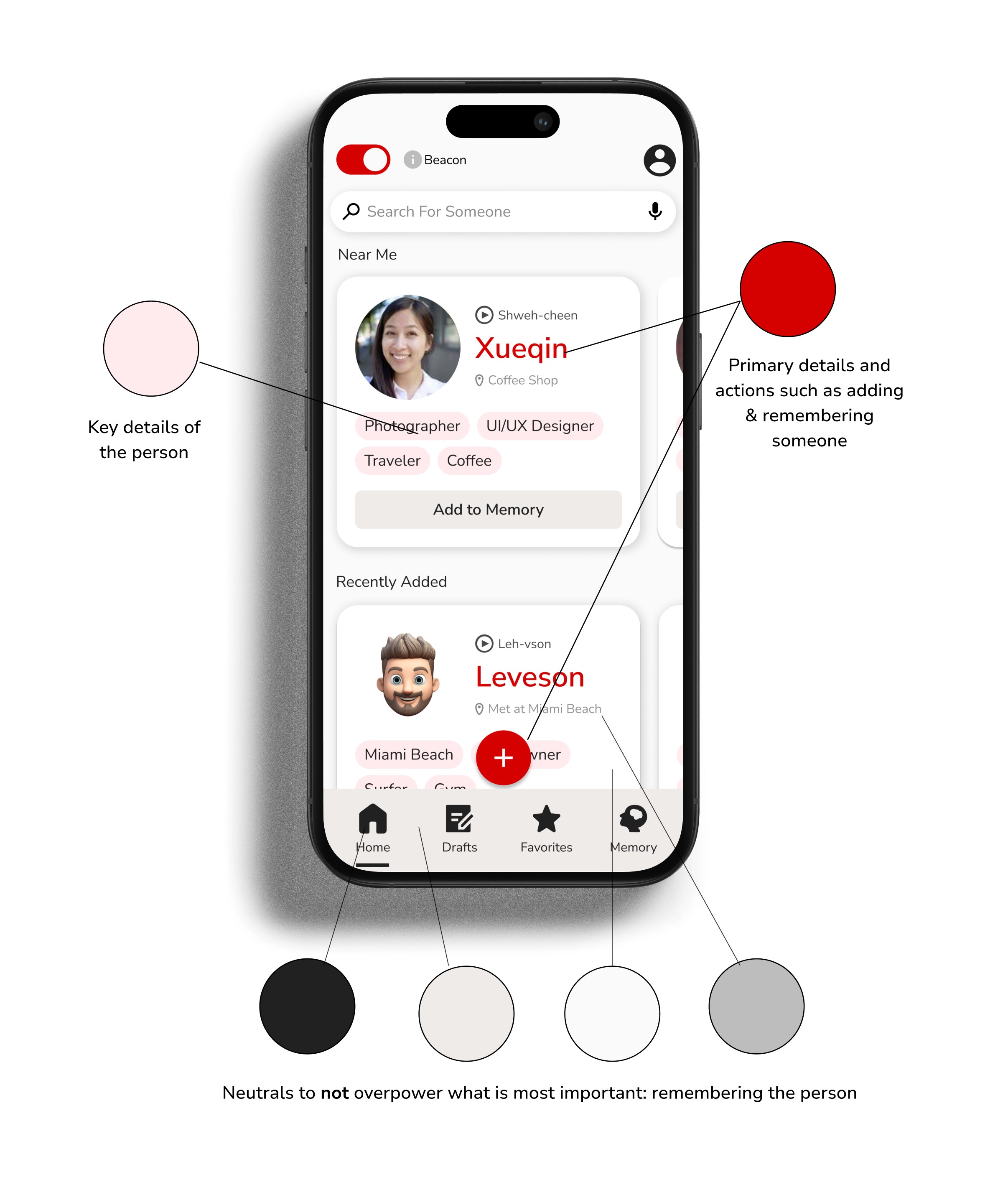
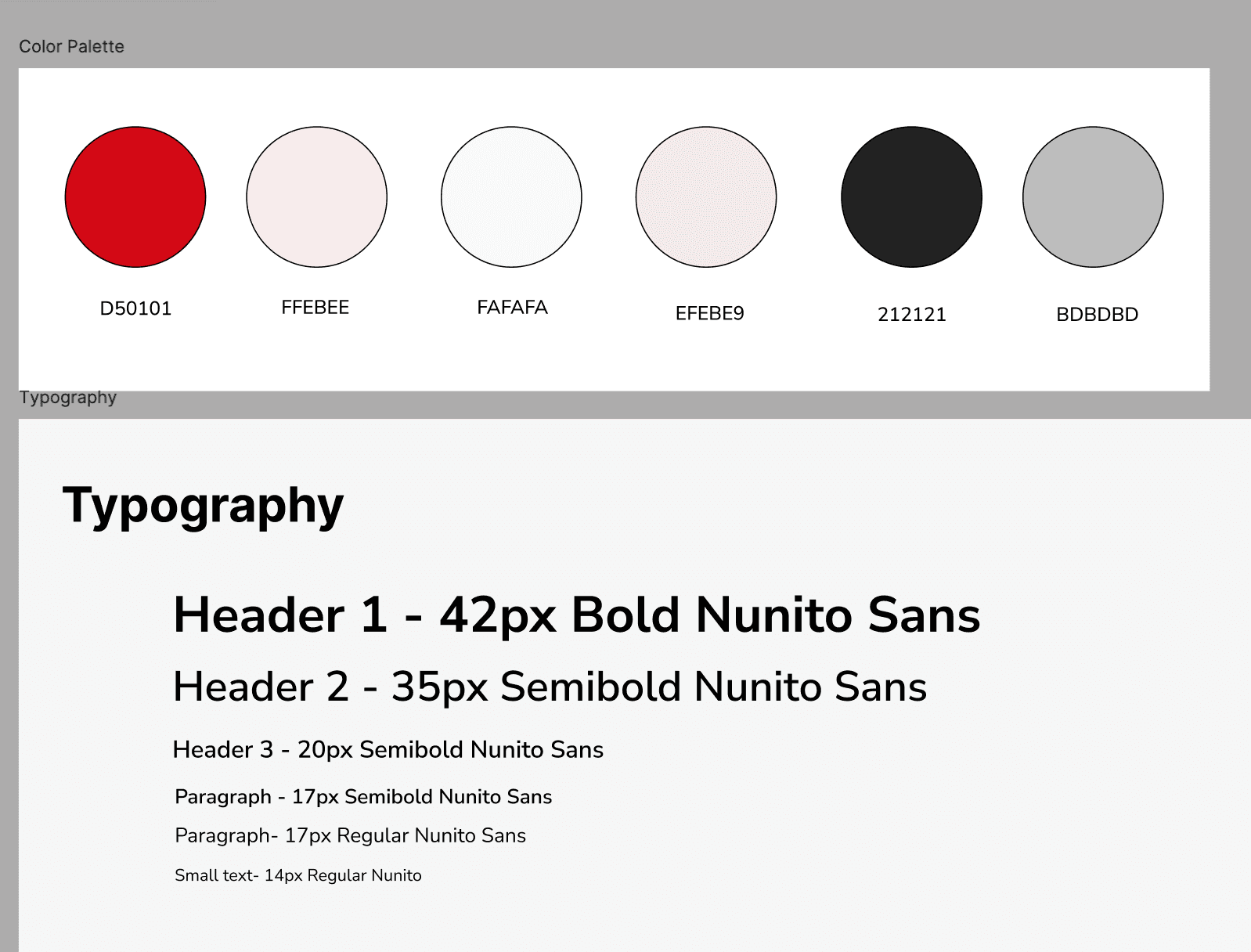
The entire visual system was designed with one purpose: nothing distracts from the person's face and name. Every color, typeface choice, and layout decision removes cognitive load so the user can focus entirely on the human connection they're trying to remember.
IMPACT
Users Ready to Replace Their Current Workarounds
The final design changed how users approached remembering people entirely.
Participants who had relied on their Notes app, awkward contact entries, or simply giving up, now had a system they trusted.
By designing for how memory actually works, the app transformed an awkward, shame-filled experience into something lightweight, private, and reliable.